How To Find My Amazon Order ID?
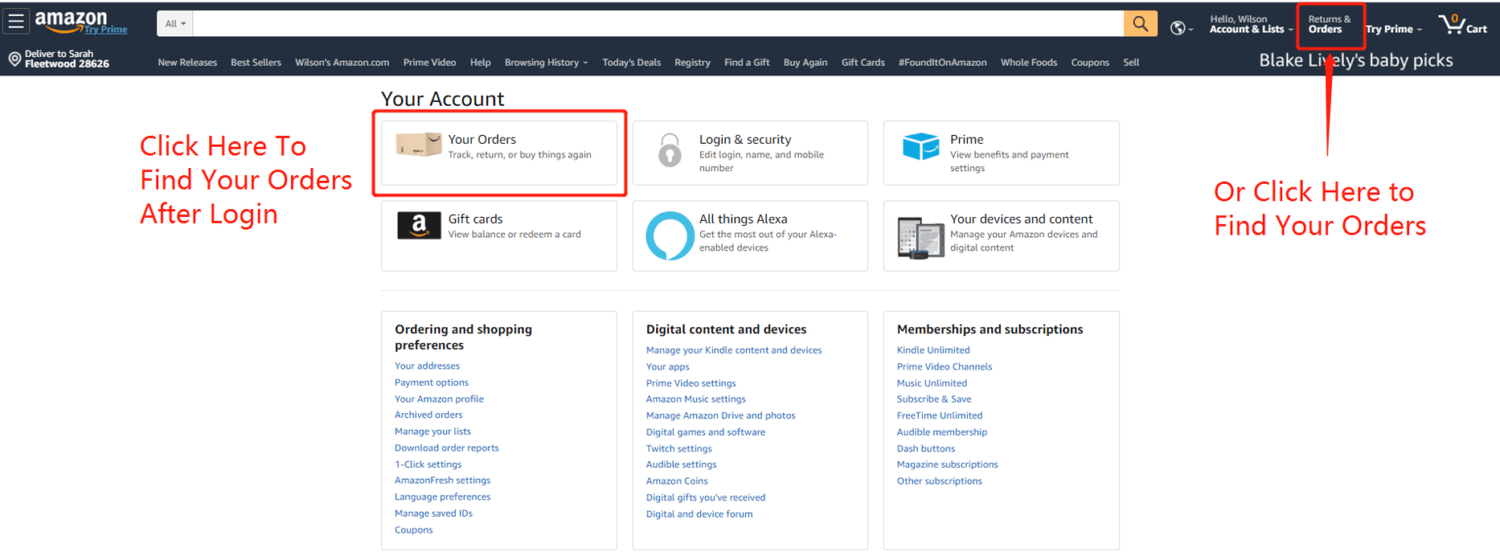
Start by visiting Amazon’s website and logging into your account. Once logged in, click on “Returns & Orders” in the upper right corner to go directly to your “Your Orders” page.
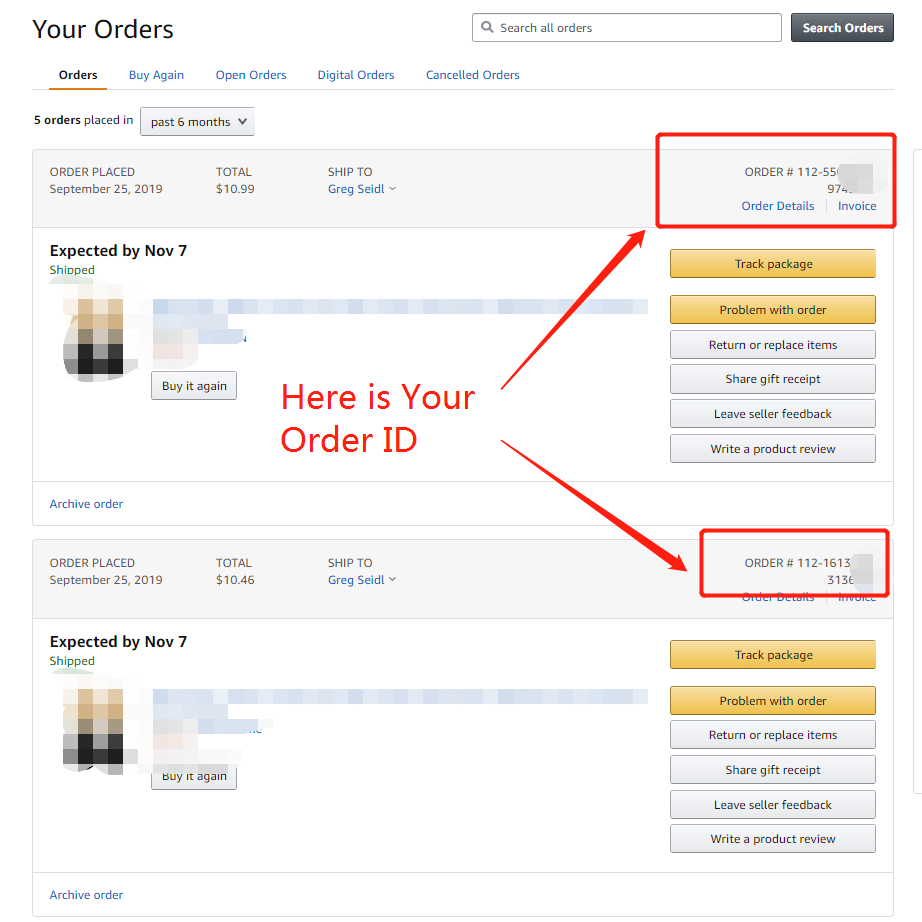
On the “Your Orders” page, find the order you need to check. Then, click the “Order Details” button on the right side of that order.
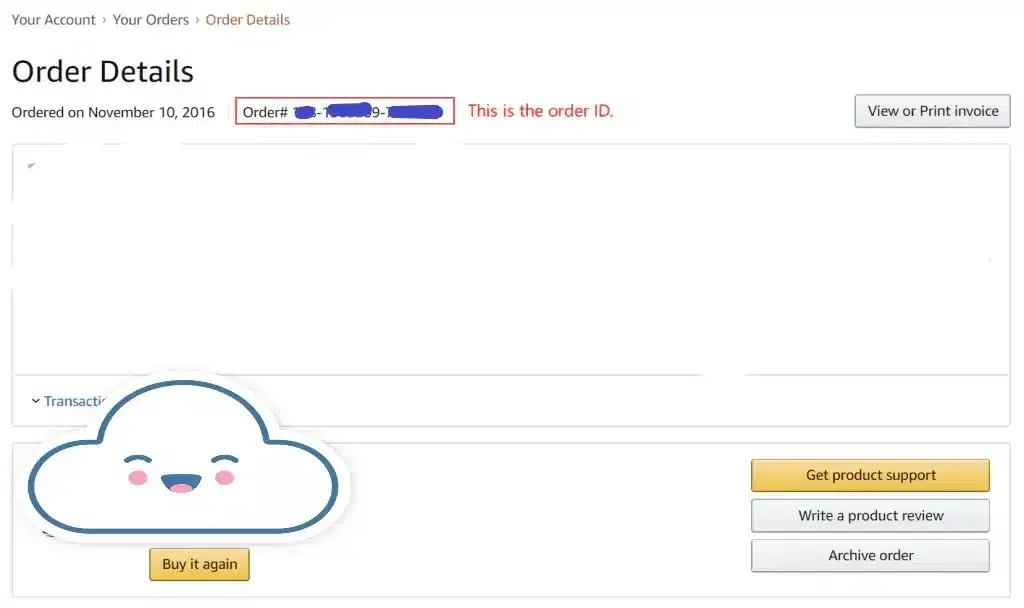
On the order details page, you’ll see your order ID displayed. It usually looks something like “XXX-XXXXXXX-XXXXXXX.”
Terms & Conditions
1. The post must be Public.
2. The program is only applicable only if you've purchased your product in the past 6 months.
3. Only one extension is allowed per product.
4. You will receive a status update of your application via email within 5 working days.
5. The application is accepted only if accompanied by a valid Amazon Order ID.